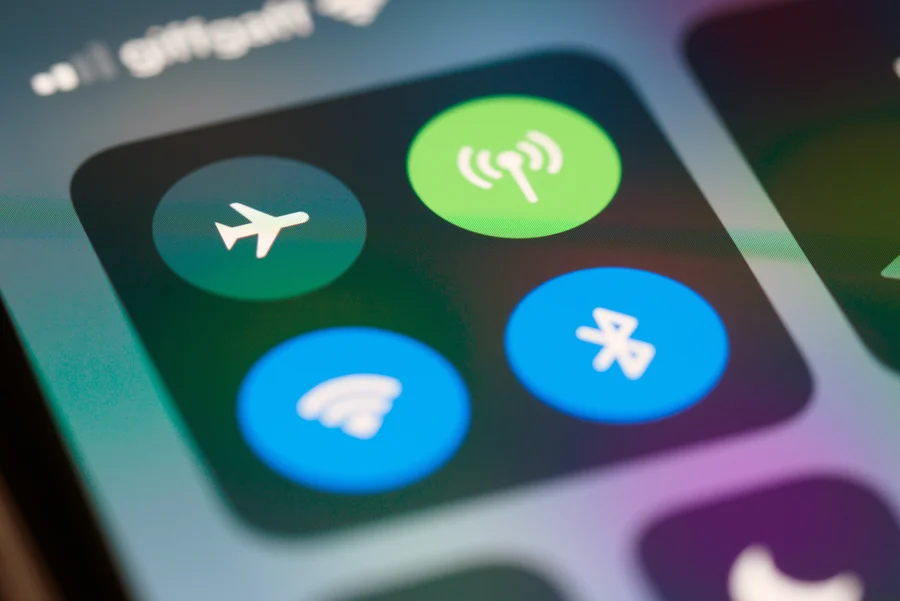
When summer vacation comes around we really need to have an internet connection. The internet is something we use for a lot of things. For example the internet is what we use to look at maps when we’re at the airport. We also use the internet to make tours when we are staying at the hotel. The internet is very helpful during our summer vacation. The internet is really helpful. We can use the Wi-Fi to do all these things easily.. There are some problems with public Wi-Fi. Our information is not safe when we use Wi-Fi. There are some people who can trick us with fake Wi-Fi networks. These fake networks are called spoofing networks. They are very dangerous.. We do not have to worry because there are things we can do to be safer when we use public Wi-Fi. We can take some steps to minimize the risks of using Wi-Fi.
By creating an encrypted tunnel from your device to the internet, the virtual private network ensures that any third party will find it quite difficult to monitor your online activity. In case you have to use Wi-Fi networks that are publicly available, it is essential to use a VPN in order to make your activities untraceable by masking them. When you are on the internet you should use a company that lots of people know. That has good security measures in place. This company should be able to connect to the internet when you get online so you are safe right from the start. You should not use free internet protection services because we do not know what they do with the information they collect from you. It is very important to keep your internet connection secure especially when you are using a network that anyone can get on like the ones they have at airports, hotels and cafes. You should always have security turned on when you are on these kinds of networks so your internet connection is safe and secure.
It is important to realize not all “free” Wi-Fi networks are safe. Cyber criminals frequently set up phishing websites in order to lure tourists onto fake websites. Make sure to ask around to check network titles before connecting yourself, especially in crowded public places. While connected, be careful about browser security flags such as “HTTPS” and lock symbols, indicating encryption of your session. Do not enter any personal data like credit card numbers if you do not trust the network to be genuine and protected. Even just surfing the Internet on these networks may provide hackers with metadata they could exploit, so do not trust strange networks to be benign.
Using a single password for multiple sites makes the user vulnerable, especially when using an insecure network while on the move. Once one account is breached, all other accounts may be hacked soon afterwards. Create a robust password that consists of characters and digits and avoids any recognizable pattern based on personal data. To make your passwords more secure you should use passwords for each account. This way you can prevent someone from getting into your accounts if one of your passwords is found out. Using passwords for each account is a good idea because it helps to keep your passwords safe. If you use the password for all of your accounts and someone finds out what it is they can get into all of your accounts.. If you use unique passwords the passwords will be more secure.At this point, it becomes practical to leverage a good password manager to safely store and autofill your information. This means you do not have to make passwords all the time. It is easier for you to get into your accounts when you are away from home. You can get into your accounts whenever you want to. That is a big help.
Your daily habits are really important when it comes to staying safe. Most of the time your devices will try to connect to any networks they remember. You need to turn off the connection setting to avoid security problems that you might not even notice. When you are out and about it is very important to do this. Disabling the connection setting will stop your phone or laptop from joining a wireless network that you do not know, all by itself. This is a thing because it helps keep your devices safe from security vulnerabilities. Your phone or laptop will not connect to any wireless network, which helps keep your information safe.
Moreover, turn off any sharing capabilities, including file transfer services, Bluetooth, and local network capabilities, whenever not needed. The aforementioned services come in handy when in the comfort of one’s home; however, they become vulnerable to hacking in public spaces. It would be prudent for individuals to delete any old network connections as well.
The use of two-factor authentication provides another level of security to password protection. If someone gets your login information when you are using a Wi-Fi connection they will not be able to log in because of the extra security step. This extra step can be done by sending a code to your phone or you can use a special app on your smartphone or you can even use a small hardware token. When you are traveling you should turn on two-factor authentication, for your accounts like your email and the places where you keep your money and files. Two-factor authentication is really helpful when you are not sure if a network is safe. This is because two-factor authentication makes it harder for hackers to get into your email and your financial information and your cloud storage. Once it’s enabled, having just your login details isn’t enough for attackers to gain access to your accounts.
As much as possible, connect via your mobile data plan rather than using public Wi-Fi. Mobile networks are really safe because they have encryption. This means it is harder for bad people to get your information. Mobile networks are also less likely to connect to access points. So what can you do to stay safe when you travel? You can download maps and your boarding passes before you go. You can also download entertainment, like movies and music.. It is a good idea to download any documents you might need. This way you will not need to use the Internet much when you are traveling. It is also an idea to make sure your apps and software are updated before you leave. This is because the updates usually have security fixes for your network and other things.
Plan ahead to avoid connecting to the Internet when you’re in a place and not sure if it’s safe. This way you can control what you’re doing. Keep track of everything while you’re traveling on your own terms with mobile networks and downloaded information.
When you are out and about, your habits are really important for staying safe. If you are sitting in an airport lounge or a crowded café it is very easy to forget that someone might be looking over your shoulder. This is what we call “shoulder surfing”. It is a way for a thief to get your PIN or login details when you are not paying attention. For example you might be waiting for your boarding gate announcement. Not notice someone looking at your screen. You should also try not to post everything about your trip in the media right away. I know you want to share your beach photos. Telling everyone that you are far from home and using a specific hotel network is not a good idea. This tells hackers where you’re and what systems you are using which are not safe, for your login details and your personal information like your PIN.
If you absolutely must check your bank balance or handle sensitive work emails, wait until you are back on a cellular connection or your trusted home network. It’s better to delay a task by a few hours than to deal with a compromised identity for months. You should be careful with your life just like you are with your physical wallet. Keep your life close and pay attention to who is around you. Do not share information than you have to.
When you are traveling, using Wi-Fi is really helpful. You have to be careful with Wi-Fi because it can get you into trouble if you do not use it the right way. If you think about Wi-Fi security for a minute while you are, on your trip you can have a fun and safe holiday. If you follow these rules for using Wi-Fi your digital information will be private and safe and using public Wi-Fi will be okay. You will be protected from security problems. Your data privacy is very important. You should take care of it. By being careful with your life and using Public Wi-Fi wisely you can have a great and safe holiday.
Build a professional consulting or corporate website with Alexi. Modern design, responsive layouts, and flexible customization—perfect for business, agency, and service websites.
