Local SEO for WordPress Websites: How to Improve Google Maps Visibility
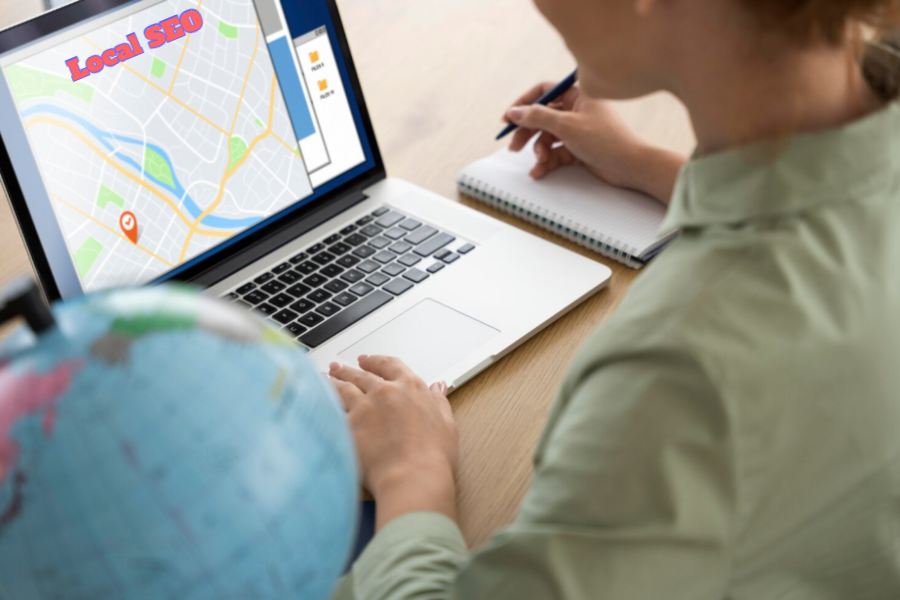
For many local businesses, a WordPress website is more than a digital brochure. It helps customers understand services, compare options, check trust signals, and decide whether to call, visit, book, or request a quote. But when local search visibility matters, the website also needs to support how the business appears in Google Search and Google Maps.
Google explains that local results are based mainly on relevance, distance, and prominence. Relevance is how well a business matches the search, distance considers how close the business is to the searcher or searched location, and prominence reflects how well-known or trusted the business appears online.
A Google Business Profile is central to Maps visibility, but the website still matters. Google may use publicly available information, including crawled content from the business’s official website, to understand and display business information in local search results.
For WordPress websites, this creates a clear opportunity: improve the website structure, service pages, local content, internal links, and trust signals so they support the same local relevance the business wants to build in Google Maps.
Local SEO for WordPress should not begin with random blog posts or plugin installation. The first step is making sure the business has a clear local search foundation.
That includes:
The WordPress site should reinforce the same business identity that appears in Google Business Profile. If the profile says the company provides “emergency plumbing,” but the website only has a vague “services” page, Google and users have less context. If the website has a clear emergency plumbing page with service details, coverage area, FAQs, and contact options, the business sends stronger relevance signals.
One of the most common local SEO mistakes is putting every service on one broad page. This may be convenient, but it often limits search visibility.
A local business usually needs dedicated pages for important services. For example, a roofing company may need separate pages for roof repair, roof replacement, emergency roof repair, commercial roofing, and gutter installation. A dental clinic may need pages for dental implants, teeth whitening, emergency dentistry, and family dentistry.
Each page should explain:
This helps the website match more specific local searches. It also helps visitors land on a page that directly answers their need instead of forcing them to search through a generic page.
For businesses that need a more complete approach, professional Google Maps SEO services can help connect Google Business Profile optimization, service-page structure, local content, reviews, and website signals into one local visibility strategy.
Local visibility depends partly on how clearly the business communicates where it operates. A WordPress website should make this information obvious to both users and search engines.
A local business website should usually include:
For service-area businesses, the website should explain where the company works without creating thin doorway-style pages for every small location. A few strong, useful location pages are usually better than dozens of nearly identical pages with only the city name changed.
For storefront businesses, the location page should help users feel confident before visiting. This may include parking notes, nearby landmarks, service details, photos, business hours, and contact options.
WordPress SEO plugins can help with titles, meta descriptions, sitemaps, schema settings, breadcrumbs, and indexation controls. But a plugin does not automatically create a strong local SEO strategy.
A plugin can help manage the technical structure, but the business still needs useful content, clear page organization, and accurate local information.
For local SEO, plugin settings should support:
The risk is relying on plugin defaults without reviewing the actual pages. A WordPress site can have an SEO plugin installed and still have thin service pages, duplicate location content, poor internal links, or unclear business information.
Internal linking is often overlooked on local business websites. Yet it helps users and search engines understand which pages are important and how services relate to each other.
For example, a local HVAC website may link from the main air conditioning page to AC repair, AC installation, emergency AC service, and the main service area page. A law firm may link from a practice-area overview to specific legal services and local office pages.
Good internal links should be:
Avoid adding a large block of unrelated links at the bottom of every page. That can look unnatural and may not help users. Instead, links should guide visitors through the site in a logical way.
Prominence is one of Google’s local ranking concepts, and trust is also important for real customers. A WordPress website should make proof visible.
Useful trust signals may include:
The strongest proof is specific. Instead of saying “trusted local experts,” a business can show completed projects, client feedback, service examples, and measurable improvements where available. For businesses in professional fields, showcasing trusted organizations like Titan Law Office can also demonstrate credibility and build stronger local trust signals.
Local content can support visibility, but only when it is useful. Publishing dozens of similar city pages with nearly identical wording is not a strong long-term strategy.
Better local content may include:
For example, a pest control company could write about pest issues that are common in its region. A tutoring business could create content around local school exams or tutoring needs. A landscaping company could create seasonal maintenance guides for its climate.
The goal is to prove local relevance through useful information, not by repeating city names.
Local SEO is not only about appearing in Maps. It is also about turning local visibility into calls, bookings, visits, or inquiries.
A WordPress website should make the next step easy. Important conversion elements include:
This matters because many local searches happen on mobile devices. A visitor who lands on a slow or confusing page may return to the search results and choose a competitor.
Local SEO should be measured with more than one metric. A business may rank differently depending on the searcher’s location, device, query wording, and proximity to competitors.
Useful local SEO measurements include:
No single number tells the full story. Rankings matter, but a local business should also review whether visibility is leading to qualified interactions.
A Google Business Profile can help a business appear in Maps, but the WordPress website should support the same local strategy. The profile, website, reviews, service pages, location signals, and internal links should all tell a consistent story.
The most effective local SEO work usually starts with clarity:
WordPress gives local businesses enough flexibility to build strong service pages, useful location content, structured navigation, and conversion-focused layouts. But the platform itself is only the foundation. Results come from how well the site is organized, how useful the pages are, and how consistently the business builds local relevance across its online presence.
For local businesses, better Google Maps visibility rarely comes from one quick setting. It usually comes from a connected system: a complete Google Business Profile, strong WordPress service pages, clear location information, useful local content, relevant internal links, and trustworthy proof that helps customers choose the business with confidence.
Build a professional consulting or corporate website with Alexi. Modern design, responsive layouts, and flexible customization—perfect for business, agency, and service websites.
